Tiles
One of the commonly used methods to create 2D games is the tiled system. In a very basic explained, it consists of having a general texture that contains tiles in an imaginary grid system. These tiles are combained like a mosaic to form the whole scene.
Tileset
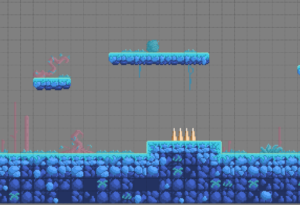
The image that contains the tiles is known as Tileset. The next one is an example of one of the tilesets used in my game Rainbow Diamonds:

Map
The map is the file that sets how the tiles are combined to build the whole scene. We can make this file manually, or we can any of the existing editors which will make our work easier.
Some game engines have its own tile and map editor (GameMaker, Unity, SpriteKit, …), and there are also generic editors not linked with a concrete game engine, like Tile Studio, Mappy Editor or the one that I will use on these examples: Tiled Map Editor.
Game engine
Once we have our tilesets and maps, we need to process them because, at least, we need to draw them on our scenes. One of the reasons why I use Tiled Map Editor is precisely that libGDX has functions to read and draw the maps generated with this tool, so we will not have to worry about write the necessary code to acomplish it.

Considerations
There are many kind of games we can make using tiles. In general, this technique works well with pixel games because it’s easy to join pixel tiles to build a big scene. If we use, for example, a hand painted look, this task is not so easy.
In the following articles we will see how to create and draw tiled maps with Tiled Map Editor and libGDX.
Regards,